
Film Photos (sketchbook)

Film Photos in Sketchbook


Over the weekend I have been experimenting with film and trying to take light trail exposures. My initial thought of light trails using film was that it wouldn't work. However, I did manage to get some good shots. Taking the photos was a lot of trial and error, as I wasn't able to take a test shot, as I wouldn't be able to see the photo until I developed it. I  overcame this by taking a test shot on my dslr and using the same settings on the film camera.
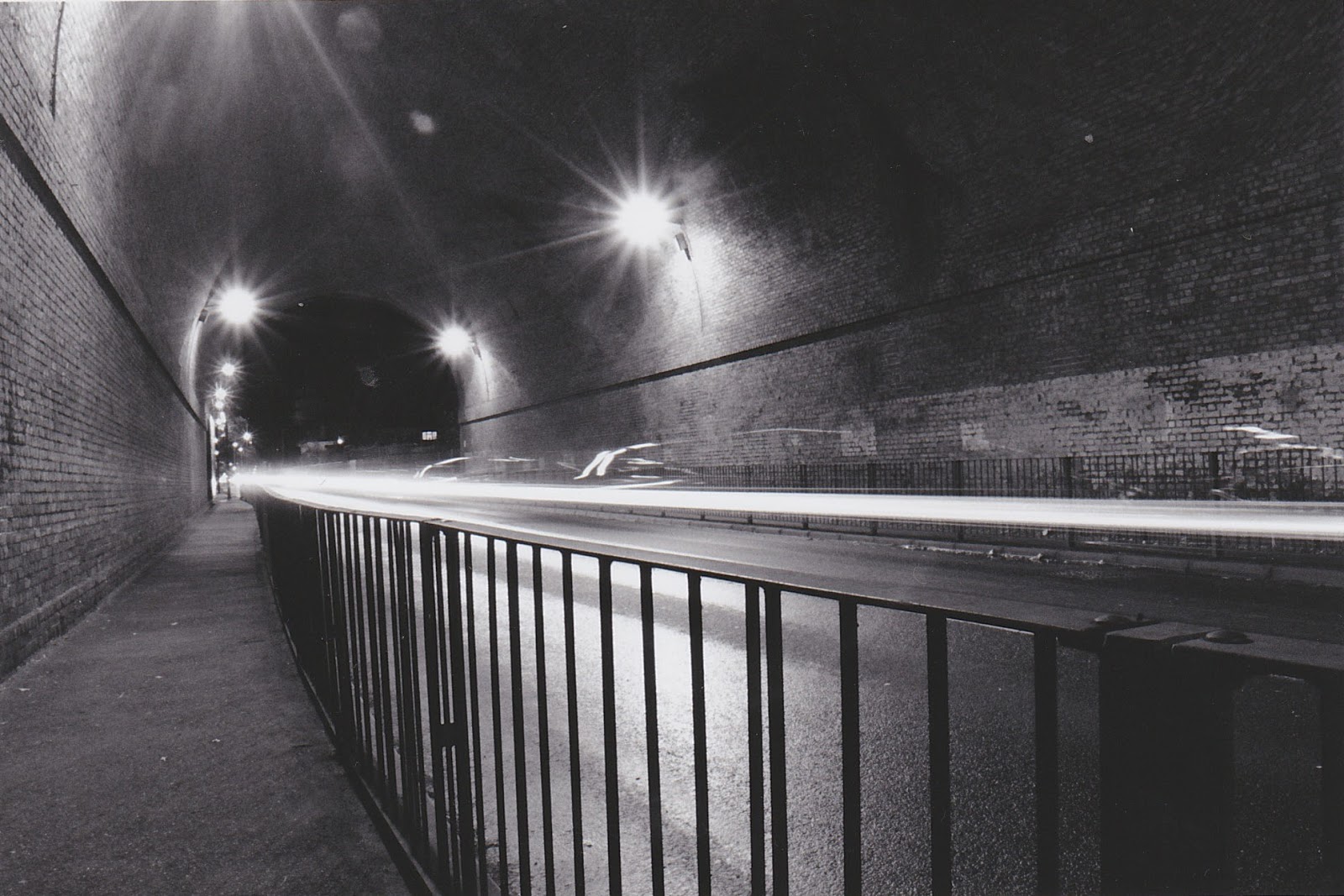

This is one of the photos I've taken from my sketchbook to write up about. I think that the composition has been well thought of, as the brick wall on the left, the light trail and the metal railings all leads to the far left of the photo. This shows that I've incorporated leading lines. The photo was taken at F20 with an 8'' shutter speed. One thing that I could have improved, is to alter the shutter speed, lighty faster, so there was less time for the lights to expand.  The image as it is has a lot of light pollution, as the smaller lights shine very brightly.  When I take future images I will experiment with different shutter speeds to see which creates the least pollution.

I printed the images on paper, I used a grade 3 on the enlarger which allowed there to be contrast from the light trails and the metal.

Comments

Popular posts from this blog

Anaglyphic effect in photoshop

After thinking about my options i came to the conclusion that i wanted to create an image with a 3D effect for my final piece.  Creating an anaglyphic photo is actually very simple, it only consists of 3 steps. Step 1)  The first step is to take the image you want to develop and drag it down to the tab which looks like a post it note. this will duplicate the layer so that you have a foreground and a background layer.  Step 2) Once you have your two layers you want to double click on the layer that is at the top. the photo on the left shows what it looks like. what you want to do is look for the three ticked boxes labelled "R" "G" and "B". you want to untick the "R" box. then press ok and you will return back to your photo ready for the final step. Step 3) before we do the final step you must make sure that you have clicked on the top layer before you adjust the layers as if the bottom later is selected you wont be...

Martha Madigan | Camera less Photography

Camera less Photography  Camera less photography is an alternative to using a Dslr camera. Cameraless photographers such as Man Ray  Martha Madigan and Adam Fuss create their photos using enlargers. Man ray was one of the first people to create an image without using a camera. he called these "rayographs", Which then evolved into photograms. To create a photogram you place objects over light sensitive paper and then expose the paper for around 8 seconds. The downside to using photograms is that the photos will always be 2D and will be from a birds eye view. Martha Madigan American photographer Martha Madigan was born in Milwaukee in 1950. she is a very interesting photographer as she creates very surreal photograms with multiple exposures and objects you wouldn't usually use. some of the themes she has done in the past are life and death, nature and culture and the fleeting existence of the body. the reason why i  chose to research this photographer wa...

Shutter Speed

shutter Speed what is Shutter Speed ?  The Shutter speed is how long your camera's sensor is exposed for. The way this works is by two shutters ( or curtains). One that goes up at the start and one that goes down at the end. Depending on how fast the shutters move will depend on how fast the photo was taken. For example if the shutters moved at 1/15. Then the photo will be a bit blurry and should probably need a tripod as longer shutter speeds pick up more movement. Slow shutters can be used for landscape and anything to do with light trails. whereas a fast shutter speed like 1/1250 will be a lot more sturdy and more crisp. This speed is used for action shots and fast moving images. The next two photos show the difference between a slow shutter and a fast shutter using water droplets. Both images were shot in manual mode which enables me to have full control of the camera. To show the differences fairly I have kept the same composition for both photos. All I've...